
The Ultimate Guide to the 14″ Portable Laptop Screen Extender: Dual-Screen Productivity in Nepal
In 2026, the boundary between the office and the home has blurred. For professionals, digital nomads, and students in Nepal, the struggle of multitasking on a single, cramped laptop screen is a common hurdle. Enter the 14″ Portable Laptop Screen Extender from Gen i Technology—a game-changing accessory designed to turn any laptop into a high-powered, dual-screen workstation instantly.
1. What is a Laptop Screen Extender?
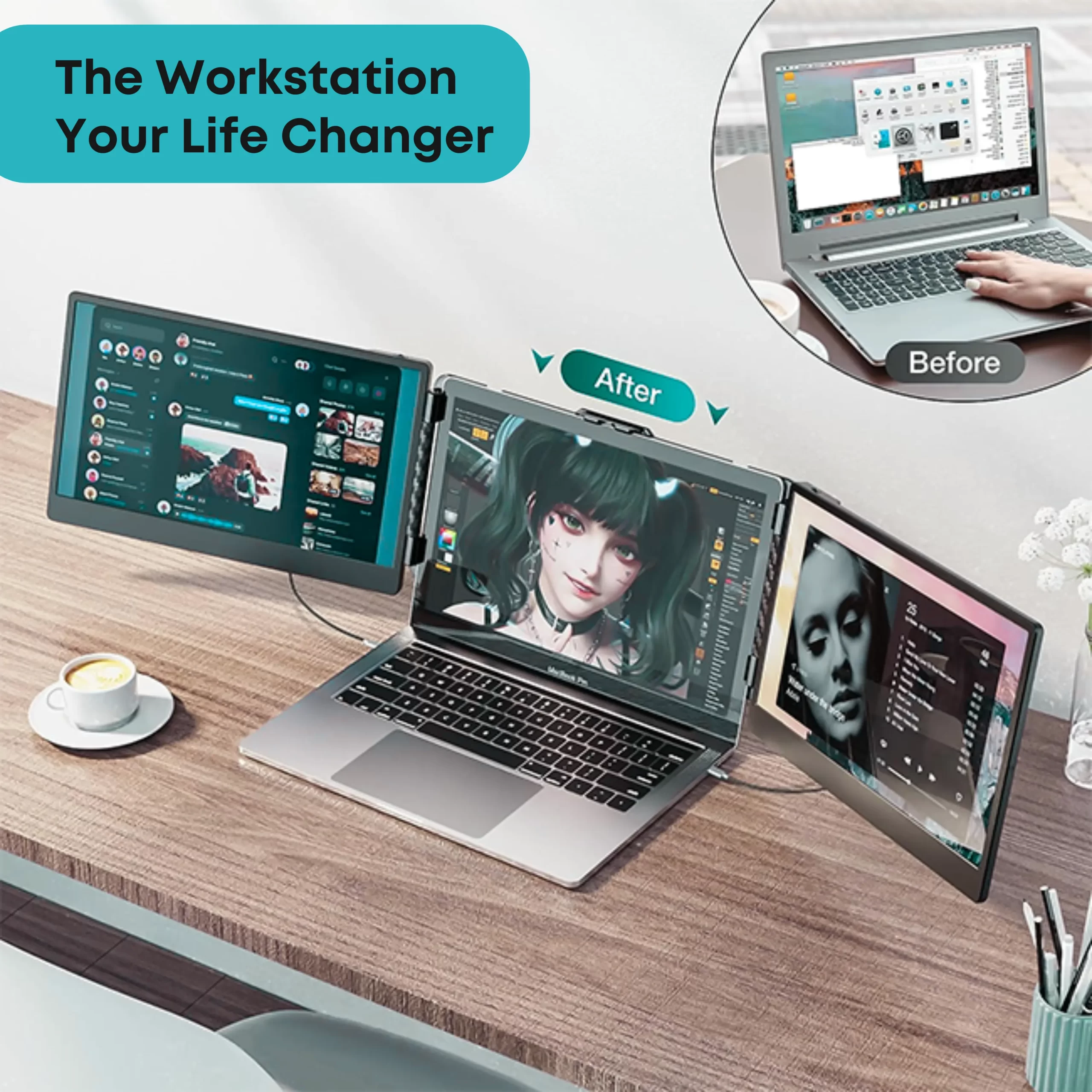
A laptop screen extender is a lightweight, secondary monitor that clips onto your existing laptop lid or stands independently. It connects via a single cable to expand your visual workspace. Unlike bulky traditional monitors, this 14-inch IPS display is designed for portability, fitting easily into a standard laptop bag alongside your computer.
2. Key Features of the Gen i 14″ Extender
To understand why this specific model is a top seller in the Nepal market, we must look at its technical “DNA”:
Full HD IPS Display
The 14-inch screen boasts a 1920×1080 Full HD resolution. Because it uses IPS (In-Plane Switching) technology, it offers vibrant color reproduction and wide 178° viewing angles. Whether you are color-grading a video in Lalitpur or analyzing spreadsheets in a cafe in Pokhara, the clarity remains consistent.
Seamless Connectivity (Plug-and-Play)
The device is built for the modern era of ports:
-
USB Type-C: If your laptop has a full-featured Type-C port, a single cable handles both the video signal and the power. No messy wall adapters are required.
-
HDMI Compatibility: For older laptops, it supports HDMI input, ensuring that whether you use a MacBook, a Dell XPS, or a Lenovo ThinkPad, you can connect within seconds.
Ergonomic & Portable Design
The extender features a 180° rotation capability, allowing you to share your screen with a colleague sitting opposite you. It also includes an integrated kickstand to prevent your laptop lid from sagging under the weight, maintaining the structural integrity of your primary device.
3. Best Use Cases for Professionals in Nepal
For Software Developers & Coders
Keep your code editor on your primary screen while running the live preview or documentation on the 14″ extender. This eliminates “Alt-Tabbing” fatigue and significantly boosts coding speed.
For Stock Traders & Data Analysts
Monitor real-time Nepal Stock Exchange (NEPSE) charts on one screen while executing trades or managing portfolios on the other.
For Creative Freelancers
Graphic designers and video editors can move their toolbars, layers, and timelines to the secondary screen, leaving the main 14″ or 15″ laptop display entirely for the canvas.
For Remote Meetings
During a Zoom or Microsoft Teams call, keep your presentation or notes visible on the extender while maintaining eye contact with your audience on the main screen.
4. Why Buy from Gen i Technology?
Sourcing tech like screen extenders in Nepal can be risky with unbranded, low-quality imports. Choosing Gen i Technology provides several advantages:
-
Guaranteed Compatibility: The team ensures the extender works with the specific port configurations common in the Nepali laptop market.
-
Local After-Sales Support: Unlike international shipping sites, Gen i provides local support and troubleshooting, ensuring your productivity isn’t halted by technical glitches.
-
Quality Assurance: Each unit is tested for hinge durability and pixel perfection, which is vital for a device that will be opened and closed daily.
Conclusion
The 14″ Portable Laptop Screen Extender is more than just a second monitor; it is a productivity multiplier. By offering a Full HD IPS experience in a form factor that travels with you, it allows professionals across Nepal to maintain a high-level workflow regardless of their location. If you find yourself constantly switching between windows and losing focus, this is the most impactful upgrade you can make to your setup in 2026.